Inspect Configuration and Code
The web UI shows what configuration Hassette is running with and what the app code looks like. No SSH access needed.
Check Running Configuration
Global Configuration
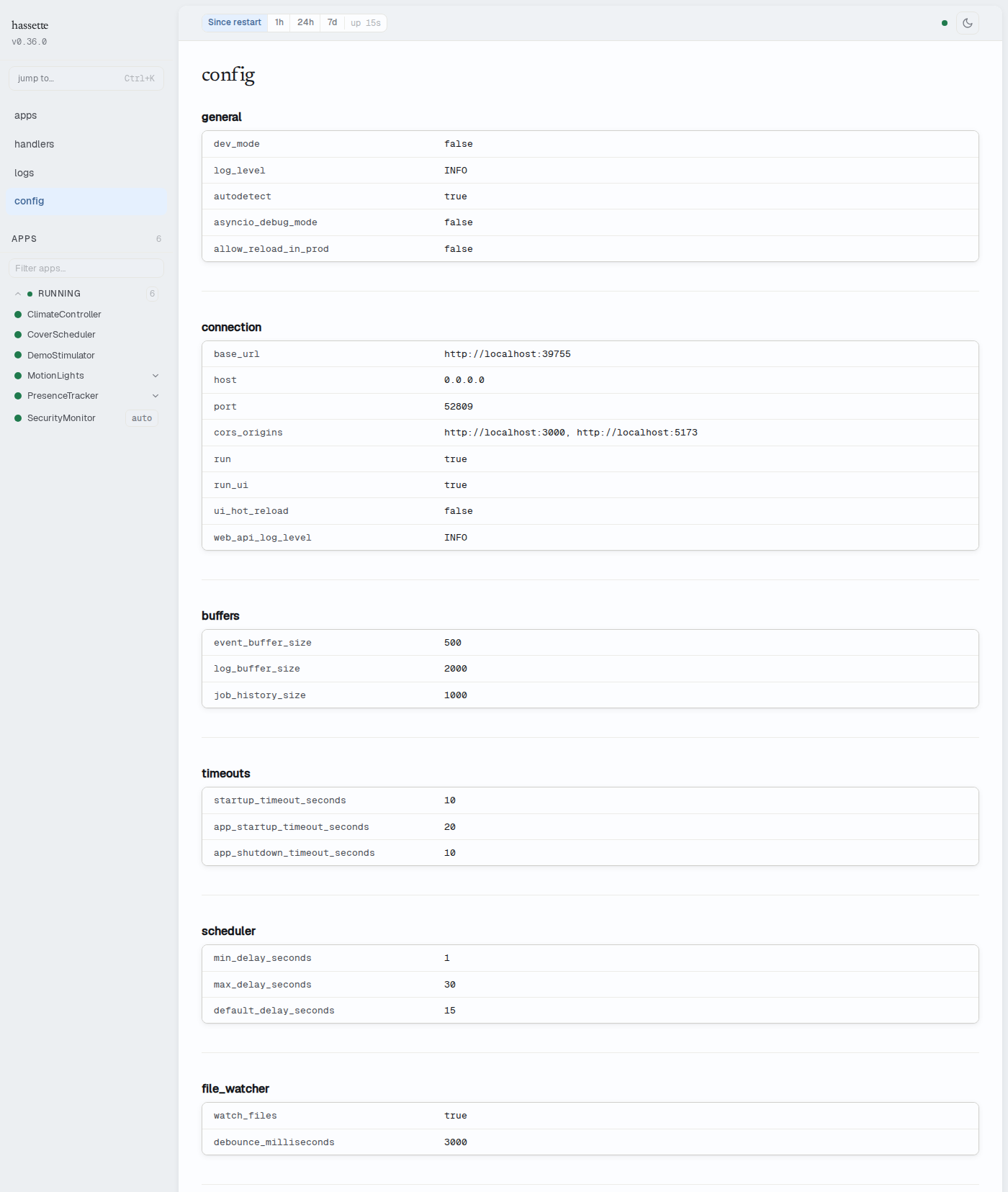
The Configuration page displays all hassette.toml values grouped by section. Groups include web_api, logging, lifecycle, apps, scheduler, and file_watcher. Top-level fields like dev_mode, base_url, and config_dir appear outside any group. Each section renders as a key-value card. Booleans appear as true/false, paths as strings, arrays as comma-separated lists.
The page is accessible from the sidebar under Config.
Values reflect the configuration loaded at the most recent startup or reload (triggered from the Manage Apps page or by the file watcher). Refresh the browser after a reload to see updated values.
See Configuration for the full settings reference.
Per-App Configuration
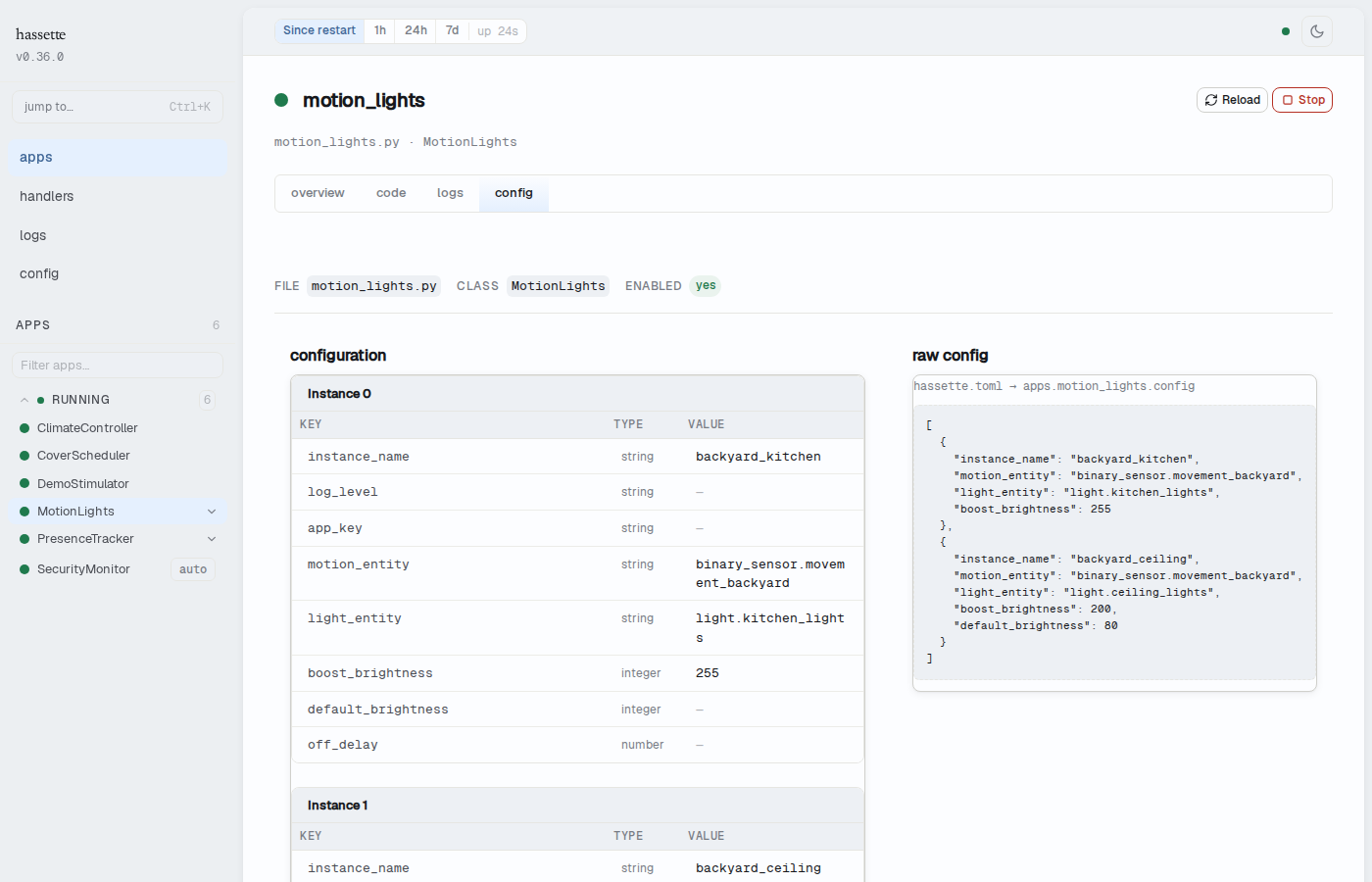
The Config tab on an app detail page shows the resolved configuration for that app instance. It merges three sources: hassette.toml values, environment variable overrides, and field defaults from the AppConfig class. The merged result is validated — missing required fields and wrong types surface as startup errors rather than silent misconfiguration.
The tab is on the app detail page, accessible by selecting an app from the sidebar.
If an environment variable override is not reflected, the env var name does not match the config class field name — the expected name is the env_prefix from the app's AppConfig plus the uppercased field name (see App Configuration). The tab shows exactly what the app received, making it the fastest way to confirm an override took effect.
Read App Source Code
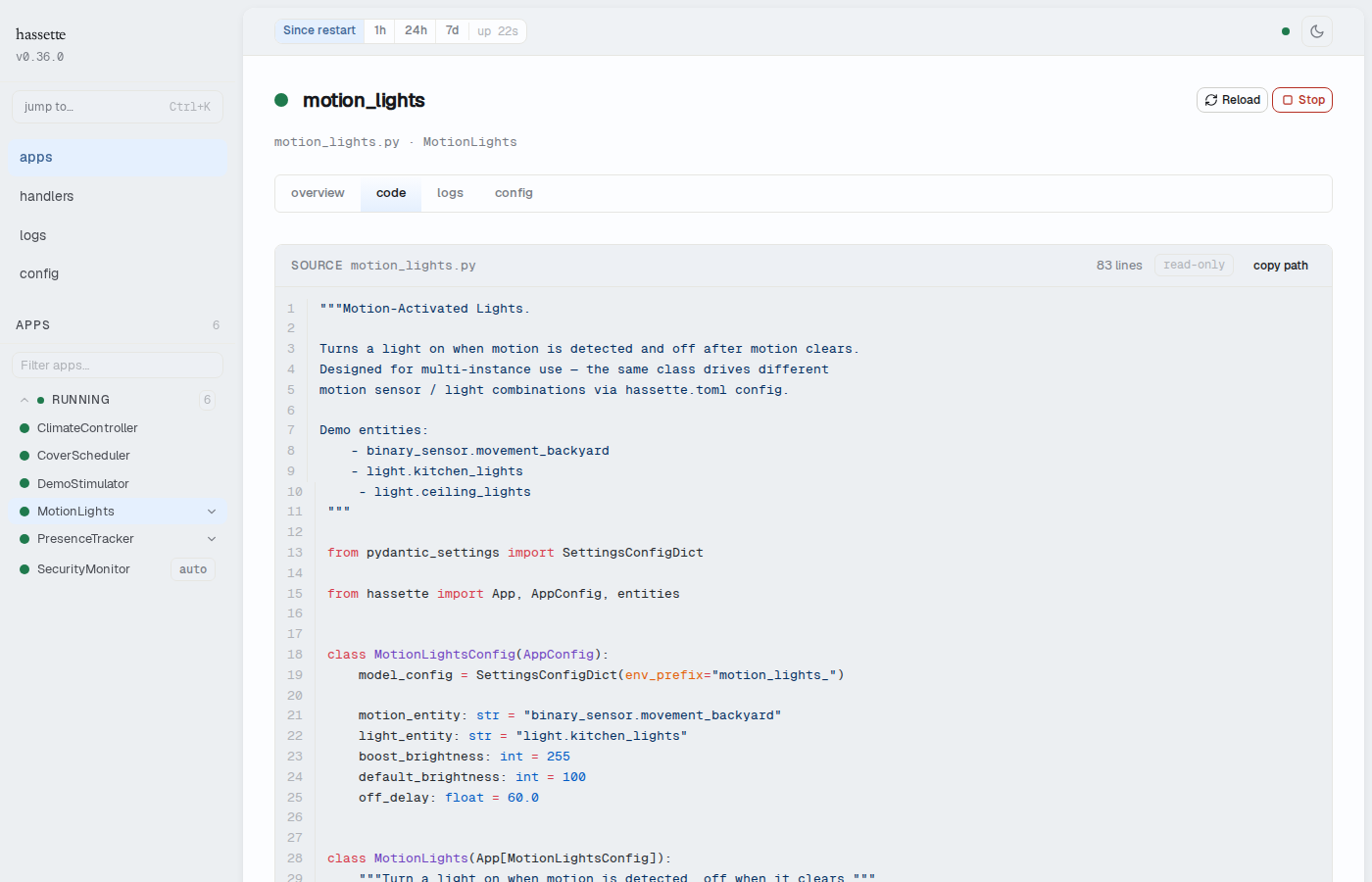
The Code tab on an app detail page displays the Python source of the app as deployed. The view is read-only and syntax-highlighted.
If Hassette runs in Docker, the container's app directory may differ from your local copy. The Code tab shows what is on disk inside the running container, without needing a shell.
The tab is on the same app detail page as the Config tab.
See Also
- Web UI Overview: enabling, accessing, and layout
- Configuration: all available settings and how to change them
- Apps:
AppConfigfields and environment variable conventions